
The majority of us who live in Pakistan do not go a day without using our phones throughout the whole day. We make phone calls to our families, send text messages to our friends, use WhatsApp, and do mobile banking too. However, in addition to all these benefits, we sometimes have to cope with spam calls, fake lottery scams, and other similar nuisance calls.
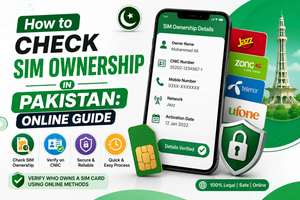
All these facts make it extremely important to understand how to manage SIM Ownership Pakistan and how to verify Sim Owner Details.
What Does SIM Ownership Actually Mean?
SIM ownership is a simple concept whereby the SIM is registered under your name along with your 13-digit CNIC number.
There used to be a time when getting a SIM was very easy. You just had to visit any shop and pay some money, and you would get yourself a valid SIM without going through any authentication process. Obviously, this situation led to many fraudulent activities. Therefore, in order to avoid such a case, PTA has made it compulsory for the users to verify fingerprints.
The following are the basic rules that you must follow:
- Biometric is compulsory: It is compulsory for you to scan your fingerprints in order to purchase any SIM card.
- Limit of 5 SIMs: The limit of SIMs is set at a maximum of 5 under your CNIC in all networks including Jazz, Zong, Telenor, and Ufone.
- Your accountability: Any activity carried out by a SIM under your CNIC is held accountable against you.
Why Should You Keep an Eye on Your Registered SIMs?
It is good practice to do an audit of your SIMs every once in a while. You might purchase a SIM card just for a month or two, but then you might forget that you have one. Regular check sim owner details by cnic online protects your personal identity and ensures you have no other numbers besides yours.
Why should you check your list?
- Stops Identity Theft: It prevents scammers from getting SIM cards issued on your CNIC copy.
- Protects You from Problems: In case anyone uses your SIM for illegal purposes, the cops will come knocking at your door first.
- Removes Unused Numbers: It is easy to find out which numbers are no longer in use and terminate them.
How to Check How Many SIMs Are on Your CNIC
Checking your active SIMs takes less than two minutes. PTA gives you two very easy ways to do this right from your phone:
Method 1: Through Text Message (668)
- Open your text messaging app.
- Type your 13-digit CNIC number without any spaces or dashes.
- Send it to 668.
- You will get a reply text showing how many SIMs are registered on your name for each company.
Method 2: Through the PTA Website
- Open your phone browser and go to cnic.sims.pk.
- Type your CNIC number in the box.
- Solve the quick security check on screen and click Submit.
- A simple table will show up listing all your active voice and internet SIMs.
How to Find Out Who Owns an Unknown Number
If an unknown number keeps calling you and you want to know who it belongs to, there is a simple trick you can use with banking apps:
- Open any app like EasyPaisa, JazzCash, or your normal bank app.
- Tap on Send Money and choose Mobile Wallet.
- Enter the unknown mobile number and select the network.
- Type a small amount like Rs. 1 and tap next.
- Right before you enter your secret PIN, the screen will show the official full name of the account holder.
- Read the name, and then simply cancel the transaction. You won’t lose any money.
What to do if you find Unknown SIMs under your name?
If you check your CNIC details and see active SIMs that you never bought yourself, don’t ignore it.
- Go to a Franchise: Visit the official customer care office or franchise of that mobile company (Jazz, Zong, etc.).
- Bring Your CNIC: Always take your original physical CNIC card with you.
- Ask for Blocking: Tell the staff that you don’t own those numbers and want them closed immediately.
- Give Your Thumbprint: Scan your thumb on their biometric machine to confirm your identity and shut down the SIMs for good.
Final Thoughts
Keeping an eye on your mobile SIM records is just as important as keeping your original identity card safe in your wallet. In Pakistan, almost all bank accounts, EasyPaisa, and JazzCash accounts are tied directly to your mobile numbers. Having an unknown SIM floating around on your CNIC can easily cause major headaches later.
Checking your SIM Ownership Pakistan status is quick, simple, and takes almost zero effort. Just send a quick text to 668 today or jump on the PTA website. Doing this quick check every couple of months will keep your Sim Owner Details clean and give you complete peace of mind.