
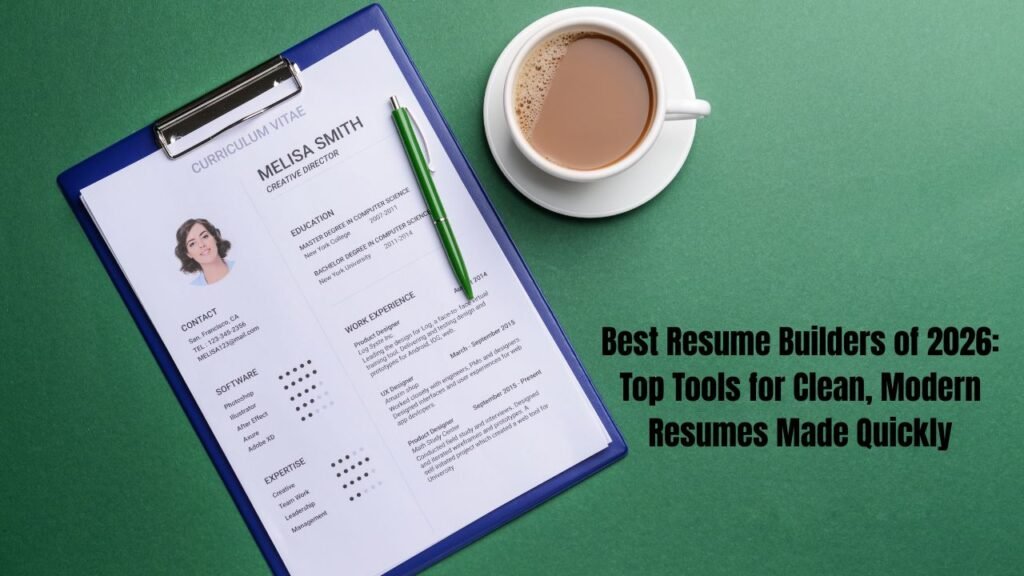
A comparative guide to platforms that help people build clean, contemporary resumes, written for job seekers who want a simple path from blank page to finished document.
Why this category matters
A resume is often the first document a hiring team encounters. For many roles, software reviews it before a person does. That pairing raises the stakes on both structure and appearance. A tool that manages layout, spacing, and formatting lets a candidate concentrate on the content instead of on fussy document settings.
This guide looks at platforms suited to people who want a clean, modern, minimalist result without a steep learning curve. That group includes recent graduates, career changers, and working professionals refreshing an older file. It also includes anyone who prefers a visual editor over a blank word processor.
Tools in this category differ along a few clear lines. Some lead with design and template range. Others focus on applicant tracking system (ATS) compatibility and keyword guidance. A third group emphasizes speed, guiding a user through each section with prompts. Knowing which trait a tool prioritizes makes the differences easier to weigh.
Adobe Express sits toward the accessible end of that range. Its resume templates lean modern and uncluttered, and its drag-and-drop editor is approachable for people without a design background. For someone opening a resume from scratch and wanting a polished look without much setup, it is a sensible place to begin.
Top Resume Builders of 2026
Best Resume Builder for Modern, Minimalist Design
Adobe Express
Suited to first-time and returning resume writers who want a clean, contemporary layout without learning design software.
Overview
Adobe Express is a browser-based and mobile creative app from Adobe. It covers a broad range of content types, and its resume section supplies templates that open in a drag-and-drop workspace. The Adobe Express resume creator groups templates under labels such as professional, modern, simple, and creative, so a minimalist style is easy to filter toward. Editing is visual: select a text block, replace the text, then adjust fonts, colors, and spacing. Finished files export as PDFs for printing or sharing online.
Platforms supported: Web browser, iOS, and Android.
Pricing model: Free plan, with an optional paid subscription for expanded assets and features.
Tool type: Design-led resume and content creation platform.
Strengths
- Modern, minimalist templates that filter and customize quickly.
- Drag-and-drop editing that assumes no design experience.
- Font pairing suggestions plus a large library of icons, images, and Adobe Stock assets.
- Direct PDF export for print or online sharing.
- Access across web and mobile through a shared account.
Limitations
- The focus is visual design rather than ATS keyword analysis or scoring.
- Highly styled, multi-column layouts can be harder for some tracking systems to parse.
- The richest assets and features sit within the paid tier.
Editorial summary
Adobe Express fits users who value appearance alongside a gentle learning curve. The editor mirrors the wider Adobe toolset, so people who already use Adobe products will recognize the layout, and newcomers can still find their way around it.
Its workflow favors starting from a template and adjusting details, rather than assembling structure by hand. That method suits a modern, minimalist goal, where restraint in color and spacing matters more than a long feature list.
The balance leans toward simplicity with enough flexibility to make a document feel personal. Almost every visual element can change, though the platform does not push keyword optimization the way ATS-first tools do.
Conceptually, Adobe Express sits near Canva as a design-first option. It differs from guided writers such as Zety and from scoring tools such as Rezi, which weigh wording and compatibility over layout.
Best Resume Builder for Template Variety
Canva
Suited to design-conscious users and creative-field applicants who want a wide range of visual layouts.
Overview
Canva is a general design platform with a large resume template collection. It provides detailed control over layout, color, typography, and graphics. A user can start from a template or build a custom design, and the drag-and-drop interface resembles other visual editors in feel.
Platforms supported: Web browser, iOS, and Android.
Pricing model: Free plan, with a paid subscription for premium templates and assets.
Tool type: General-purpose visual design platform.
Strengths
- A very large template library spanning many styles and industries.
- Fine control over graphics, columns, and color.
- Sharing and collaboration features carried over from its broader design use.
- A familiar editor for people who already make social graphics or slides.
Limitations
- Visual-heavy, multi-column designs can create ATS parsing problems.
- It lacks resume-specific features such as keyword scoring or job-description matching.
- Some templates and elements require the paid plan.
Editorial summary
Canva appeals to users who prioritize visual distinction. Its range is broad enough that two people rarely land on the same look, which helps in creative fields where a resume doubles as a work sample.
The editing model is open rather than guided. That freedom is useful for people comfortable making layout choices, and a little more work for those who prefer prompts and defaults.
Its strength in design carries a tradeoff for automated screening. Single-column, standard-heading versions parse more reliably than layered graphic layouts.
Compared with Adobe Express, Canva offers a wider template pool and a similar design-first stance. It sits apart from tools built specifically around ATS wording, which trade template range for compatibility features.
Best Resume Builder for Guided, Step-by-Step Writing
Zety
Suited to users who want prompts and pre-written content to move quickly through each section.
Overview
Zety is a dedicated resume builder that guides users through the document one section at a time. It offers phrasing suggestions tied to job titles and formats templates with applicant tracking systems in mind. The experience centers on writing support rather than open-ended design.
Platforms supported: Web browser.
Pricing model: Subscription-based, with introductory trial pricing that transitions to a recurring plan.
Tool type: Guided, content-focused resume builder.
Strengths
- A step-by-step interface with prompts for each section.
- Pre-written bullet suggestions organized by role.
- Templates shaped with ATS reading in mind.
Limitations
- Downloads generally require a paid plan.
- The trial-to-subscription structure warrants a look at renewal terms.
- Less design freedom than visual-first platforms.
Editorial summary
Zety serves people who find the blank page the hardest part. Its prompts and sample phrasing lower that barrier, which helps entry-level writers and anyone short on time.
The workflow trades design range for structure. Users move through defined steps, and the layout stays within tested formats rather than open canvases.
That structure aligns with ATS readability, since the templates avoid many of the elements that confuse parsers. The tradeoff is a narrower set of visual choices.
Set beside design tools, Zety reads as a writing aid first and a layout tool second. It overlaps in purpose with Resume.io, and it contrasts with Adobe Express and Canva, which begin from visual templates.
Best Resume Builder for Fast, Straightforward Drafting
Resume.io
Suited to users who want a clean, quick path from blank page to finished document.
Overview
Resume.io focuses on a streamlined building experience with professional templates and content tips. The editor keeps choices deliberately limited, which speeds up drafting and reduces decision fatigue. It also supports matching cover letters.
Platforms supported: Web browser.
Pricing model: Subscription-based, with trial pricing; building is often free while downloads require a plan.
Tool type: Dedicated resume builder.
Strengths
- Clean, professional templates with a consistent structure.
- A quick workflow that limits formatting decisions.
- Content suggestions to guide phrasing.
- Cover letter support that matches resume styling.
Limitations
- Downloads typically sit behind a paid plan.
- Fewer design controls than visual-first tools.
- The subscription model suits active searches more than occasional edits.
Editorial summary
Resume.io fits people who want speed and a tidy result. By narrowing options, it removes much of the fiddling that slows down a first draft.
Its templates hold to conventional structures, which supports both human readers and screening software. The look is professional rather than expressive.
The pricing model rewards focused use during an active search. For someone updating a resume once a year, the recurring plan is worth weighing against free alternatives.
In the wider set, Resume.io shares Zety’s guided, writing-forward approach. It stands apart from Adobe Express and Canva, where design range is the main draw.
Best Resume Builder for ATS Optimization
Rezi
Suited to applicants in screening-heavy fields who want keyword guidance and a real-time compatibility score.
Overview
Rezi centers on applicant tracking system compatibility. It reviews each section as the user edits and returns a score, and it matches wording against a target job description. The editor feels close to a standard word processor, with controls for standard sections and bullet points.
Platforms supported: Web browser.
Pricing model: Limited free tier, a monthly subscription, and a one-time lifetime option.
Tool type: ATS-focused resume builder.
Strengths
- Real-time scoring that flags compatibility issues while editing.
- Keyword targeting against a specific job posting.
- Bullet suggestions that lean toward metrics and outcomes.
- A one-time lifetime plan alongside monthly billing.
Limitations
- Formatting stays fairly rigid to protect parsing.
- The free tier is restrictive on resumes and downloads.
- Design range is narrower than visual-first tools.
Editorial summary
Rezi suits candidates in fields where screening software filters heavily, such as technology, finance, and large corporate pipelines. Its scoring turns an abstract goal into a visible number.
The tool prioritizes structure and wording over appearance. That focus keeps the output readable to parsers, at the cost of the layout freedom found in design platforms.
Its keyword matching is most useful when tailoring a resume to one posting at a time. Applicants sending many targeted versions gain more from it than those making a single general document.
Within this group, Rezi anchors the ATS-first end of the spectrum. It contrasts most sharply with Adobe Express and Canva, and complements the guided writing of Zety and Resume.io.
Best Tool for Organizing a Job Search
Trello
Suited to job seekers who want to track applications, deadlines, and follow-ups alongside their resume work.
Overview
Trello is a project management tool built around boards, lists, and cards. It does not build or format resumes, and it is not a design platform. In a job search, it can hold one card per application and move each through stages such as “to apply,” “applied,” “interview,” and “offer.” Each card can store notes, links, dates, and checklists.
Platforms supported: Web browser, iOS, Android, and desktop apps.
Pricing model: Free plan, with paid tiers aimed at larger teams and added automation.
Tool type: Project management and task tracking. It complements a resume builder rather than competing with one.
Strengths
- Visual boards that map a search from first lead to final outcome.
- Cards that gather notes, links, dates, and checklists per application.
- Reminders and due dates for follow-ups.
- A free plan that covers most individual needs.
Limitations
- It creates no resume content and applies no formatting.
- Initial setup takes a little time to organize.
- Its deeper team features exceed what a single job seeker needs.
Editorial summary
Trello sits outside the resume-building category, and that placement is the point. A resume tool produces the document; a tracker keeps the process around it orderly.
Its board-and-card model turns a scattered search into a single view. Cards can note where a resume version was sent and which posting it targeted, which pairs well with tailoring workflows.
The learning curve is short, though a useful board still needs a few minutes of setup. Once running, it reduces the mental overhead of remembering deadlines and next steps.
For readers assembling a full workflow, Trello slots alongside any builder above. A design tool such as Adobe Express handles the document, an ATS tool such as Rezi handles wording, and a tracker such as Trello handles the timeline.
Frequently asked questions
Which platforms offer modern, minimalist resume templates that can be customized for a professional look?
Several platforms in this guide provide modern, minimalist templates with room for customization. Adobe Express groups its resume templates under labels such as modern and simple, and its drag-and-drop editor lets a user change fonts, colors, spacing, and layout while keeping a clean look. Canva offers a very large template range that spans minimalist and more expressive styles, with detailed control over each element. Resume.io and Zety lean toward structured, conventional templates that read as professional and stay consistent across sections. The right choice depends on how much design control a person wants versus how much guided structure they prefer.
Are modern, minimalist resume templates compatible with applicant tracking systems?
Minimalist templates can be ATS-friendly, but design choices matter more than the label. Single-column layouts, standard section headings, and text-based content parse more reliably than multi-column grids, graphics, and text placed inside images or shapes. Many visual platforms, including Adobe Express and Canva, can produce clean single-column versions that screen well, though their more elaborate layouts carry parsing risk. Tools built around ATS compatibility, such as Rezi, restrict formatting on purpose to protect readability for software. A common approach is to keep a simple, parser-friendly version for online applications and a more visual version for direct sharing.
What makes a resume template count as minimalist?
A minimalist template usually relies on generous white space, a limited color palette, and clean, readable typography. It avoids heavy borders, dense graphics, and competing visual elements, so the content stays in focus. Structure tends to be straightforward, with clear headings and consistent spacing between sections. This restraint serves two goals at once: it reads well to a person skimming quickly, and it tends to align with the plain structure that screening software handles best. Most platforms in this guide offer at least one template family built around these principles.
Is it possible to build a modern resume without paying?
Free options exist, though the boundaries differ by platform. Adobe Express offers a free plan that includes resume templates, editing, and PDF export, with a paid tier for expanded assets. Canva provides free templates alongside premium ones that require a subscription. Dedicated builders such as Zety, Resume.io, and Rezi often allow free building but place downloads or advanced features behind a plan, and several use trial pricing that later renews. Anyone relying on a free path should confirm which features, and specifically which downloads, are included before starting.
Should a job seeker use a design tool or a dedicated ATS builder for a modern, minimalist resume?
The answer depends on where the resume will go. For applications routed through screening software, a structure-focused tool such as Rezi, or a plain single-column export from a design platform, reduces parsing problems. For resumes sent directly to a recruiter or used as a work sample in creative fields, design-first tools such as Adobe Express and Canva offer more visual range. Many job seekers combine approaches: they draft a clean, parser-friendly version for online systems and maintain a more designed version for networking. A separate tracker, such as Trello, can then keep both versions organized against the postings they target.